User Personas from Research Findings
From our initial research, we created four detailed user personas to visualize our findings and guide the design process, ensuring our decisions aligned with users’ real-world needs and challenges.
Findings:
- Limited familiarity with local biodiversity
- Lack of awareness about sustainable practices
- Motivated by sharing and community interaction

Jessica
32
Hobbyist photographer
Shares photos from nature walks on social platforms and prefers quick, simple descriptions.

Karen
58
Forager and retired naturalist
Wants simple, user-friendly tools to identify plants, learn sustainable plant foraging, and share her knowledge with family and friends.
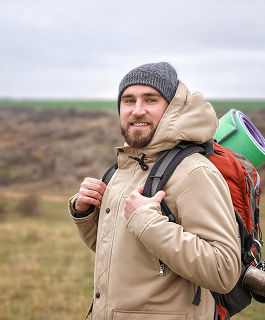
Melik
27
Hiker and engineer
Enjoys outdoor activities like hiking, camping, and mountain biking, and needs basic plant identification to enhance hikes.
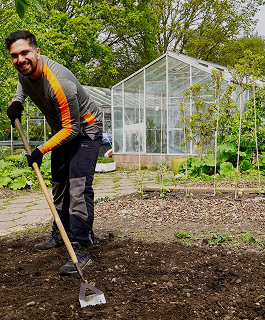
Paul
40
Gardener and landscaper
Interested in gardening, sustainability, and native plants, and needs info on plants suitable for his garden.
From Ideation to Wireframes and Mockups
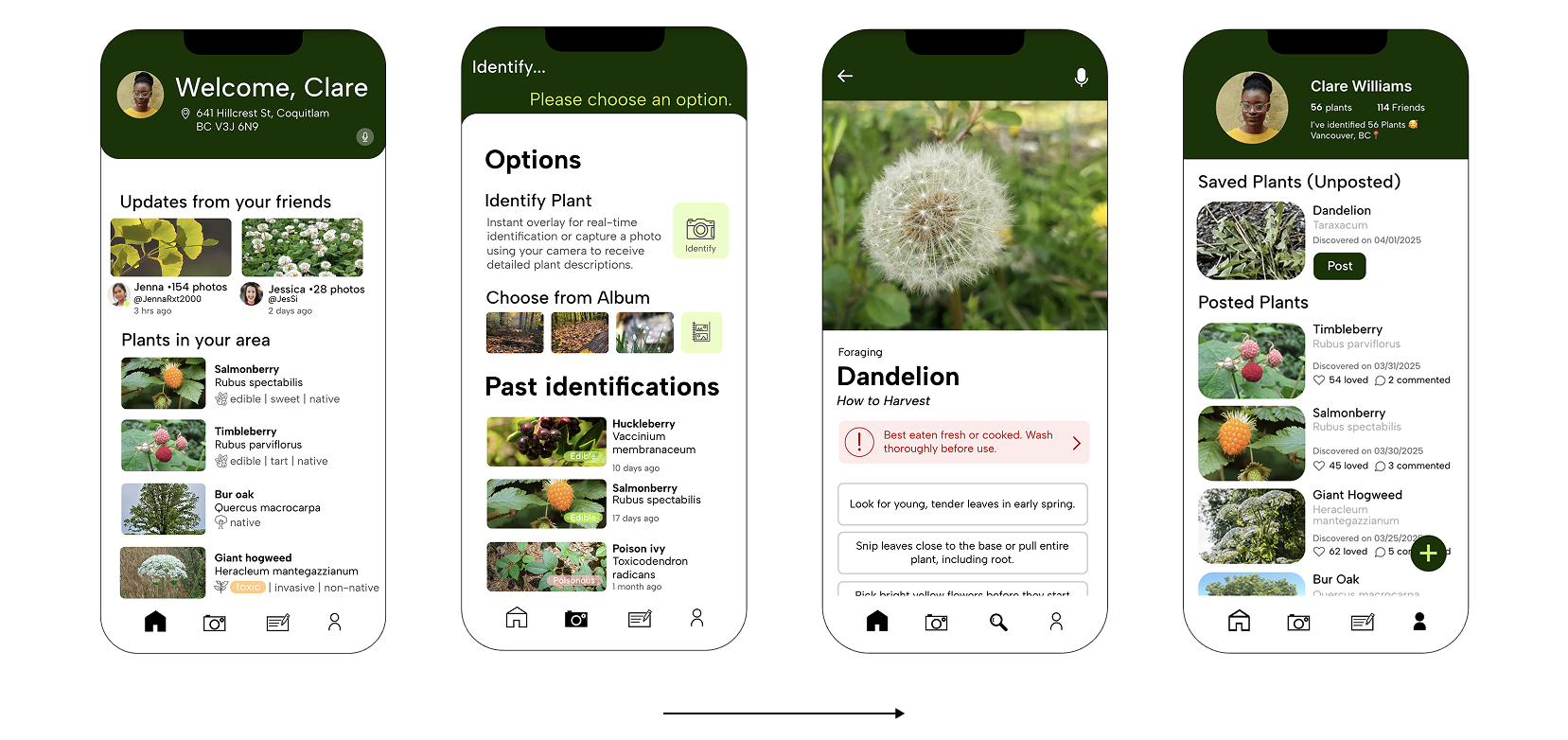
We proposed a feature-rich app focused on real-time plant exploration, learning, and sharing. The main features proposed included:
AR Plant Identification
Instantly identify plants using the camera
Flexible User Inputs
Option to identify plants using live view or from photo album photos
Safety and Sustainability
Warnings for toxic/invasive species and ethical foraging tips
Personal Journal and Community Sharing
Save and organize plant discoveries for future use. Connect with friends to share and explore finds together
Plant recognition and Educational Insights
Detailed info on species, edibility, toxicity, and ecological roles
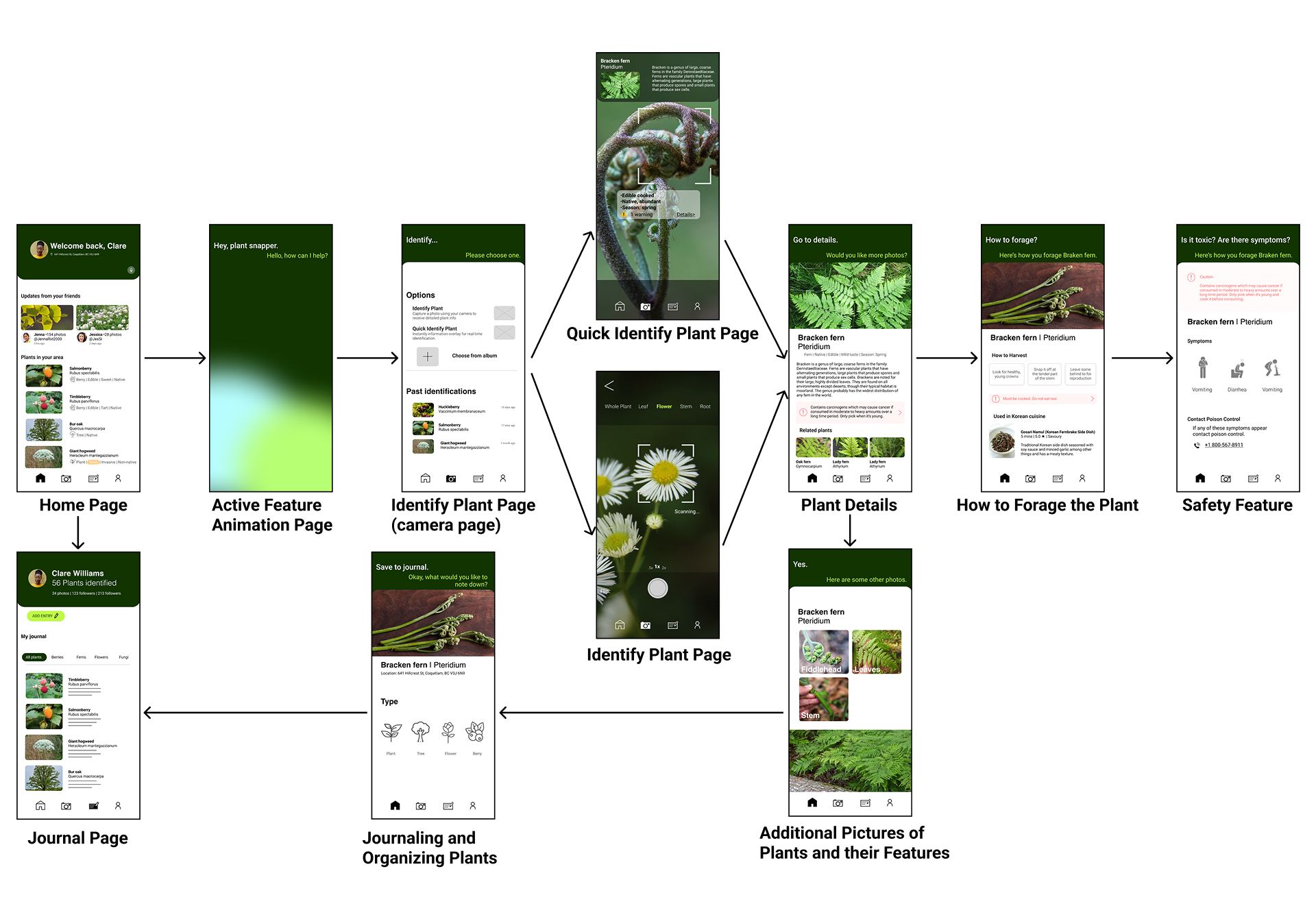
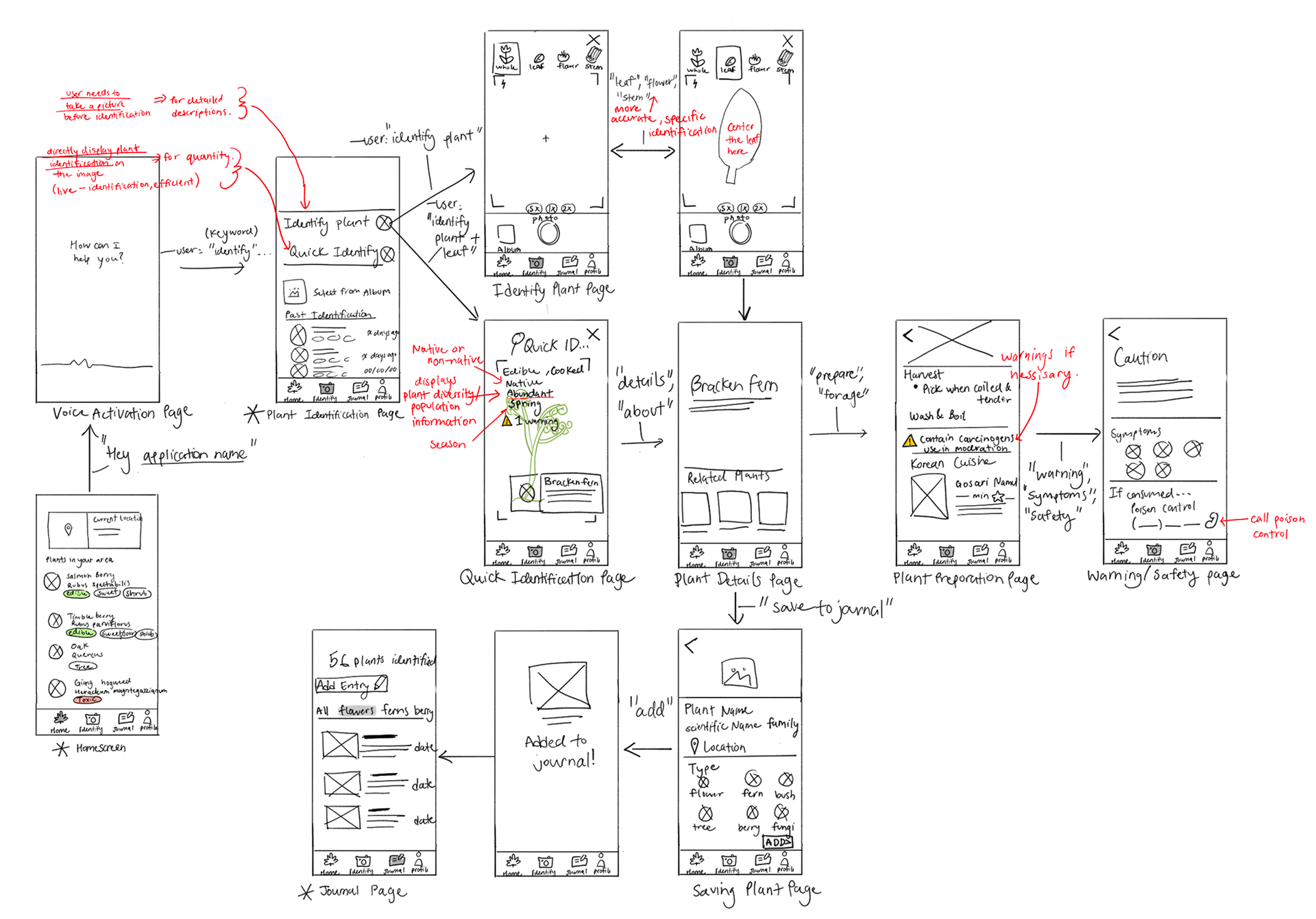
I translated these ideas into wireframes and mockups to explore layout, navigation, and user flow.
User testings and Interviews
I conducted a three-part usability study, beginning with open exploration to observe users’ natural behavior, followed by task completion to uncover specific pain points, and concluding with a short interview to gather feedback and highlight usability issues.
Given task
"Identify a plant from the photo album and save it to your personal journal"
This table lists usability issues found during user testing, grouped by common categories. This table helps identify recurring design issues to help prioritize fixes.
| Category | Issue |
|---|---|
| Navigation and Usability | Users were unsure how to use the voice-trigger features |
| Users got lost in plant identification pages | |
| Users struggled to return to key pages | |
| Photo and Journal Functionality | Images taken with the live-capture couldn’t be retrieved |
| Journal customization was limited | |
| Button and Icon Improvements | Mic on the home screen felt unintuitive |
| Buttons lacked affordances | |
| Overall Experience | Limited interactivity in the explore feed section |
| Side-scrolling wasn’t fully voice-accessible |
The category-issue table captures some of the recurring issues that was observed during a monitored user testing, especially around their ability to navigate the app. Noticing where users hesitated or paused provided a fresh perspective to understand design flaws and the importance of designing for real user behavior to support first-time users.
Usability Insight and Design Opportunity
Insight
Despite the app's hands-free focus, users struggled to know when, how, or why to use its voice-based features and often got lost during key tasks like plant identification and photo capture. The user feedback helped us identify a crucial design challenge, asking how can we give better guidance to lead users toward a smoother, voice-driven experience?
Opportunity
One solution to this design challenge is to improve UI prompts with clear, contextual suggestions like “would you like to identify this plant?”, along with feedback loops that guide users when no input is detected to help build confidence and clarify next steps. This approach reduces user confusion and encourages more consistent use of PlantSnapper's voice features. As a result, users feel supported throughout the process, leading to higher task completion rates.